
Everything your club needs, nothing it doesn't
Replace your entire tech stack with one platform designed specifically for running clubs.
Designed for the people who run your club, the volunteers who keep it running , and the people who run with it .
Replaces your entire tech stack
Stop juggling multiple tools. One login, one place for everything.
Instead of
Spreadsheets
Member lists, attendance tracking
Instead of
WordPress
The club website and its hosting bill
Instead of
GoCardless dashboard
Managing payments separately
Instead of
Mailchimp
Email communications
Instead of
Eventbrite
Event registration
Instead of
WebCollect
Joining forms and subscriptions
Built for the AI era
The club platform you can simply talk to
RunClub HQ ships its own MCP server — the open standard AI assistants use to reach a system and do things in it. Point Claude at your club, ask for what you need, and see what it left for you to check.
Your club gets its own MCP server
Connect Claude, Cursor or VS Code with a standard OAuth sign-in — the same permissions your account already has, nothing more.
Dozens of tools, not one chat box
Events, race results, pages, posts, navigation menus, redirects, documents, media and a whole-site link check — real operations against your own club, not a search box.
Import a race in one message
Hand over the results the organiser published — RR10, parkrun, a chip-timing export — and confident matches are recorded against the right members.
Nothing uncertain is imported
An ambiguous name, an unfamiliar club spelling, a runner nobody vouched for: those rows stop, with the reason attached, until a person decides.
Answers drafted from your club's own information
A member's question comes back with a suggested reply built from your records, your canned responses and the event in question — plus which of those it read.
What it costs, per club, per month
Every AI operation is metered. Spend, operation count and tokens sit on the support dashboard, so this is never a surprise on a bill.
The assistant reads and drafts. A person at the club publishes, resolves and sends. That boundary is built into the product, not written into a policy nobody reads.
Club assistant
Membership secretary
Import Sunday’s RR10 results for the Alresford race.
Assistant
42 finishers read. 39 matched to members and recorded. 3 left for you: two unfamiliar club spellings, and one name that matches two members.
Easy to join
From first hello to first run
The gap between someone being curious and someone being a member is where clubs lose people. It is tracked here, not a folder in a volunteer's inbox.
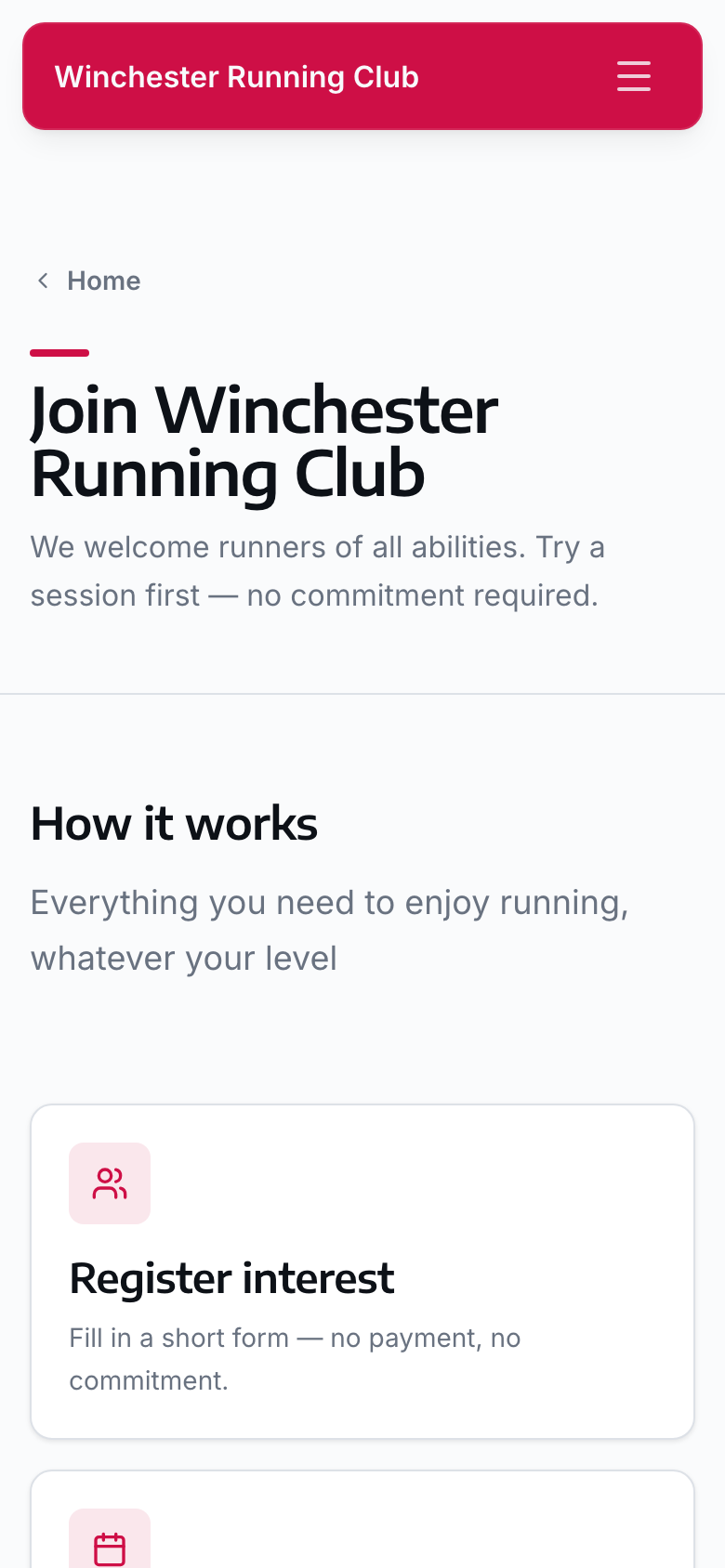
Register interest without joining
One field on the club's own site. Whoever fills it in gets a magic link that lands them straight in the joining wizard — nobody forwards an email to a membership secretary.
Trying the club out is a real record
Not a name in someone's inbox. Someone who is only trying the club can register for sessions and check in at them before they have paid anything — the status decides what they may do.
Trial sessions, counted
You set how many sessions someone may try. Their stage moves from registered, to under the trial limit, to at it — so the conversation happens at the right moment.
Their dashboard says what is next
Come to a recommended session. Complete your subscription. Prompts are prioritised, appear where the member already is, and disappear as they are done.
Joining does not stop at paid
A member who needs EA affiliation waits at awaiting confirmation until it comes back, then completes. You can see exactly who is stuck and on what.
Duplicates caught at the door
Someone joining who already exists — from a past season, or discovered on the EA roster — is offered the existing record, keeping their URN and history attached.
Households
A household is one account, not four
Owners and managers, dependants without logins, and billing responsibility kept as a separate question from who is allowed to manage whom.
One account, the whole household
A household has an owner, and can have more managers than one. A manager can act for everybody in it; an ordinary household member manages only themselves.
Dependants without logins
Children and partners are full member records — their own membership, affiliation, attendance and history — with no account to create and no password to forget.
Billing is its own question
Whoever is responsible for the household bill is marked as such, separately from who can manage whom. The household gets one invoice; each member keeps their own record.
Members maintain themselves
Profile, photo, address, emergency contacts, medical information and consents. Always accurate, because the person who knows is the person editing.
Statuses that actually decide things
Trying the club, active, lapsed, resigned, suspended, transferred. Each one determines what a member may do — register, check in, claim a record — rather than being a label on a list.
Emergency information, held properly
Welfare officers and first aiders can reach emergency contacts and medical notes during an event. It is a role, not a shared spreadsheet — everyone else simply cannot see it.
Easy to take part — results & records
What the club actually did, on the record
Import a race in minutes, or let a member send in their own time. Either way it waits in a review queue, and the record board comes out the other end.
Results in whatever shape they arrive
RR10 pages, parkrun, chip-timing exports. Rows are normalised into one importer, with a dry run first when you want to see what would happen before it happens.
Members can send in their own result
Ran somewhere the club would not otherwise hear about? A member can submit their own time from the app. It joins the same review queue as an imported result, and nothing appears on the record board until a volunteer confirms it.
Matched by barcode, URN or name
A parkrun id or a URN (an England Athletics registration number) is exact. A name is scored — forename, surname, date of birth, and the margin over the nearest rival — and only a clear winner imports itself.
Every position the source publishes
Overall, age category, gender and league positions are stored separately, because none of them can be worked out from another.
Anything doubtful waits for you
Unresolved rows sit in Needs review with the reason attached. Resolve one, or ignore it. Teach the club's spelling once and the next race imports cleanly.
Personal bests, against the right course
A result is recorded against the course it was run on, so a personal best means what it says — the same 5K, not a different one with a different profile.
Building, Holding or Dipping — not just a time
Every result is age-graded, and a member's last twelve months are read against their own history: Building, Holding or Dipping — running faster, the same, or slower for their age than a year ago.
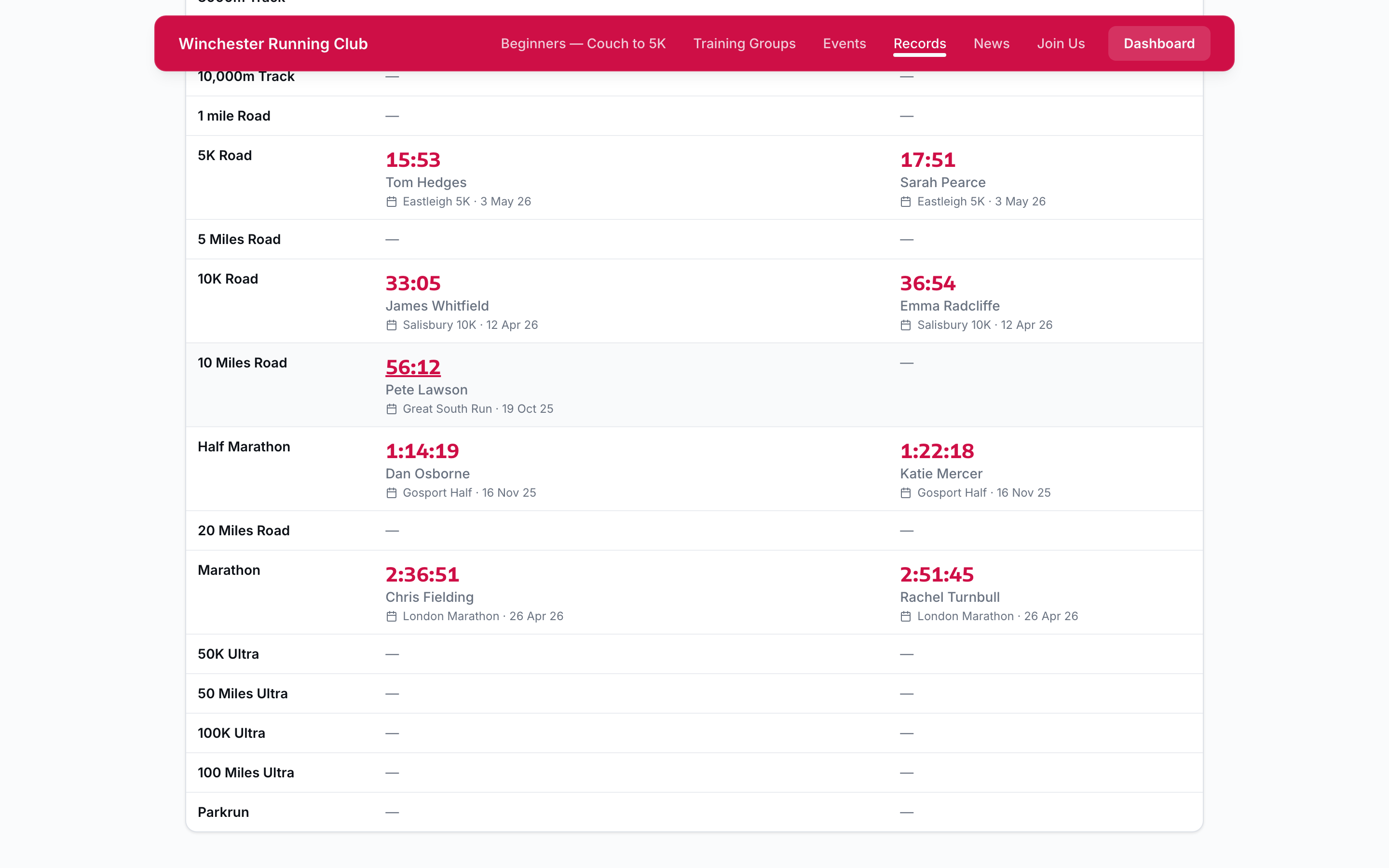
Records with an approval workflow
Members apply for a club record. A records manager approves, rejects, or pulls an approved record back for review — and the audit log says who did which.
The record board is a page section
Distance and age-group filters, published on the club's own site, from the same data the app uses. Approve a record and it is live.
Easy to take part — events
Events that fit real clubs
A Tuesday club run, a race with a capacity, an awards dinner with tickets and a dietary requirements question, and the county championship you are only entering — four different things, and the platform knows the difference.
Four kinds of event, and the form knows it
Turn up, register, buy a ticket, or enter someone else’s race. The kind decides which fields exist — and anything a change makes irrelevant is cleared and reported back to you, never dropped quietly.
Someone else's race, their details
An external event keeps the organiser's entry fee, entry window and field limit in its own fields, so their numbers can never be mistaken for yours.
Capacity that cannot oversell
Places are allocated against a locked event row inside a transaction, so two people tapping at once cannot both take the last one.
A waitlist that keeps its order
When a place frees up the next booking is promoted whole. A household is never split, and a smaller group is never let past a bigger one that got there first.
Tickets, and guests
Ticketed events take more than one ticket per person. Other events can let members bring guests, with a limit per member and a guest price of their own.
Ask what you actually need
Ticketed events carry their own questions — short text, long text, a choice, a yes or no — so dietary requirements for the awards dinner are collected at registration, not in a reply-all.
Location-based check-in
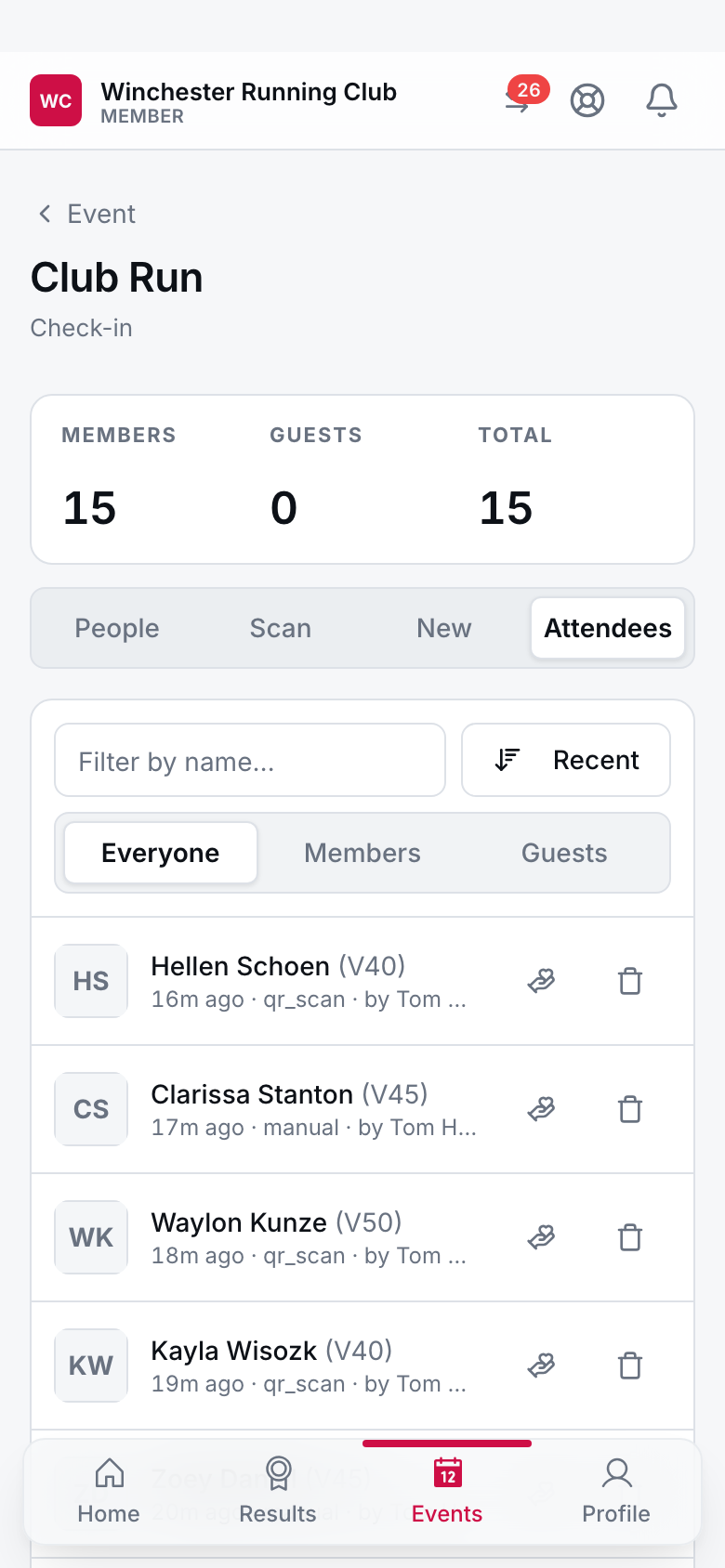
Members check in from their phone when they arrive, or a volunteer scans their membership card. No paper register, no queue at a desk.
Membership cards and tickets
Digital membership cards and event tickets on the phone the member is already carrying. Scan for quick check-in at events and races.
Easy to stay
The season renews itself
The single job that costs a membership secretary the most weekends, done without anyone driving it.
Campaigns that run themselves
Open a season and every eligible member is invited automatically. Reminders go out on a schedule and stop the moment someone renews.
Collected by Direct Debit
Existing mandates collect on the date you set. No re-entering bank details, no chasing transfers, no reconciling a bank statement by hand.
Grace periods and lapse handling
Members who miss the deadline get a grace period, then move to lapsed on their own. Nobody is quietly dropped, and nobody has to remember to do it.
Renew or pay without signing in
The reminder email carries a link that opens the invoice, or the renewal, directly — no password to remember on the way to paying what is owed.
Your subscription, always visible
Every member can see their own membership, what it costs and when it is next due, from a page of their own — not a question for the membership secretary.
A dashboard, not a spreadsheet
Renewed, outstanding and lapsed at a glance, at any point in the campaign. You watch the number move instead of building the number.
Easy to contribute — less admin
The affiliation, handled
A direct connection to England Athletics — athlete lookup, a daily roster sync, claim types and transfers, and the fee on the same invoice. This is the part a general membership tool leaves you to do by hand.
Look the athlete up, do not retype them
Search England Athletics by name and date of birth from inside a member record, or enter a URN and have it checked against EA before it is saved to anyone.
Your roster, synced daily
A scheduled job pulls the club's registered athletes from EA and matches each one to a member by URN, or by name and date of birth when there isn't one yet.
First claim, second claim, transfers
Claim type and registration status are tracked per member. Members who transfer out are detected from the roster rather than discovered at a race.
Affiliation on the same invoice
The EA fee is a line item beside the membership subscription, priced per season, collected in the same payment. Members pay once.
Discrepancies become a queue
An athlete on the EA roster with no member record, a member with no EA registration, a name that matched nothing — each becomes a review item for a human, not a silent difference.
The grace period is understood
EA registrations run to a national calendar, not your season. The platform knows the difference, so a member isn't flagged lapsed for a gap that isn't one.
Easy to contribute — less admin
Your club website, included
Public pages, news, events, records and bios — no WordPress, no hosting bill, no volunteer webmaster.
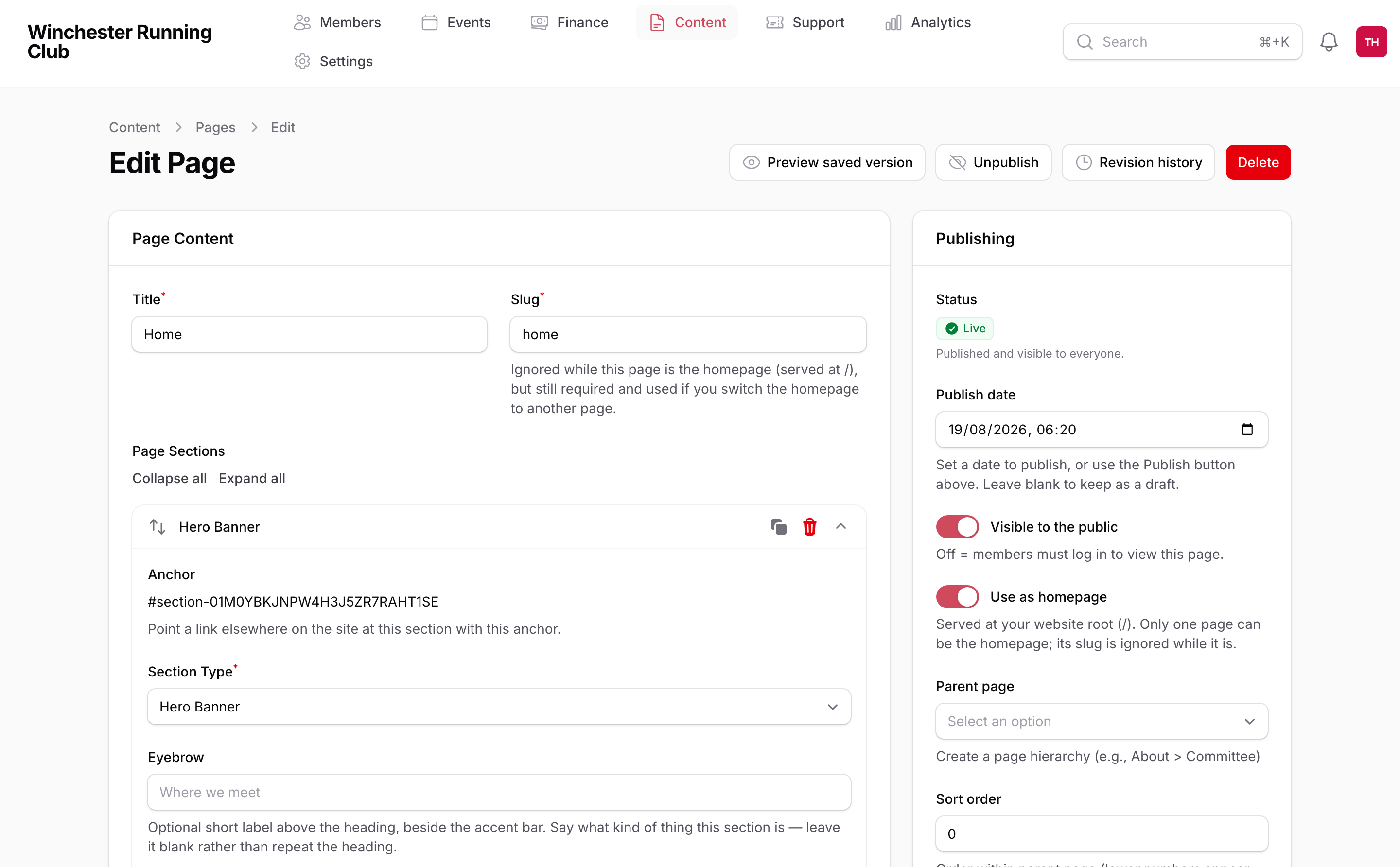
Pages built from sections
Assemble a page from hero, events, records, galleries, FAQs and rich text. Publish news and posts without touching HTML or a plugin.
Your club data, already there
Fixtures, results, club records and committee bios come from the same data the members app uses. Publish once, correct once.
Edited by any committee member
No WordPress admin, no plugin updates, no volunteer webmaster on holiday. If someone can write an email, they can edit the site.
Your domain, your colours
Bring your own domain, pick your accent colour and display font. Hosting, certificates and backups are included in the price you already pay.
Easy to contribute — less admin
Messages members actually receive
Three channels, lists that maintain themselves, a mailing list the committee can still run by email, and a help library that answers before a message is needed.
Email, push and an in-app inbox
Three channels. A member is included when they can receive at least one of the ones you picked, so nobody is silently missed for lacking an app.
Lists that keep themselves up to date
A dynamic list is criteria, not a snapshot: membership type, member status, gender, age and gender competition category, household role, whether they have a login at all.
A mailing list the committee actually runs
Post to a committee mailing list by email, the way you already do — moderated, with a roster of who may post, and a record of every message kept where the rest of the club data lives.
Send from your own address
Verify your club's own sending domain and mail goes out as you@yourclub.org.uk, not a platform address — with an automatic fallback if it ever needs one.
Merge tags, and a test send
Templates carry merge tags and are validated and sanitised before they go anywhere. Send one to yourself first and see exactly what a member will get.
Delivery tracked per recipient
Sent, delivered, opened, clicked, failed, bounced, marked as spam — against each person, not as one aggregate percentage you cannot act on.
A help library that answers first
Common questions, answered by the club and searchable in the member app, so a question does not have to reach an inbox to get an answer — with a message to the club as the fallback when it still needs one.
A checklist for going live
Payments, branding, the first season, the first import — a launch checklist tracks what is left before a pilot switches on, so nothing is missed on the day money starts moving.
Money in
Direct Debit and instant bank pay via GoCardless, with card payments where your club switches them on.
GoCardless Direct Debit
Automatic recurring payments for memberships. Set it once, collect automatically. Payment retry logic handles failed payments.
Instant bank pay via GoCardless
One-off payments for event entries and joining fees, collected straight from the member's bank account. No card details to type, no card fees.
Card payments, where you switch them on
Switch on card payments and members can pay that way too — for the events or fees you choose. Off by default; on is your decision, not ours.
Household billing
Aggregate household payments into single invoices. The account holder sees the total; each member keeps an individual record.
Manual payment support
Bank transfer and cash options for members who need them, with an approval step so a manual payment is confirmed, not just claimed.
Easy to contribute — see the club
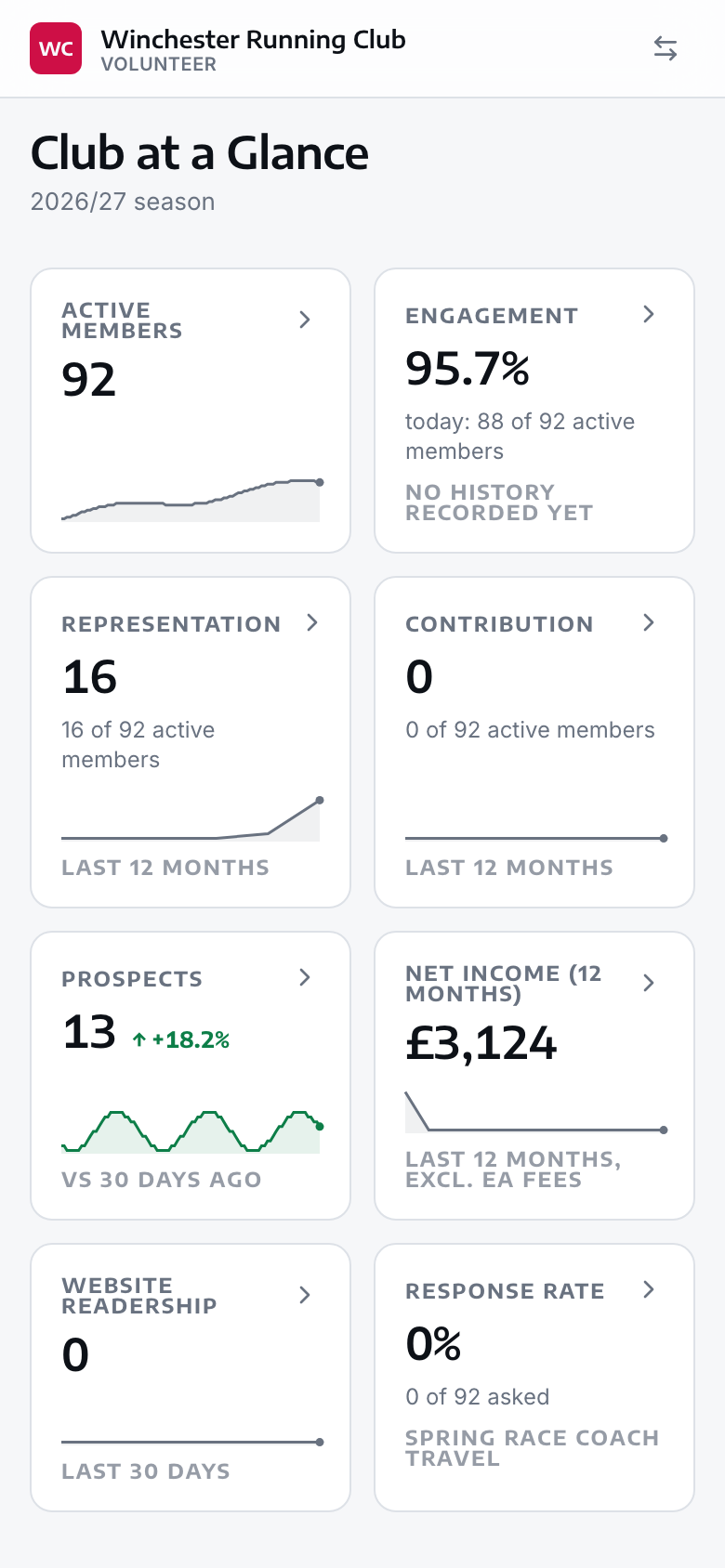
Club at a Glance
Attendance, finances and feedback in one place — built for the volunteers who actually run the club.
One dashboard, not a spreadsheet
A work-to-do list that surfaces what actually needs a volunteer's attention, instead of a folder of documents nobody keeps up to date.
Attendance trends, not guesswork
Session-by-session history built from the same check-ins members already do, so drifting attendance shows up before it becomes a lapsed membership.
Where the money actually is
Income, outgoings and the current balance, read from the club's own ledger — the same figures the treasurer works from, not a copy of them.
Expense claims in a queue, not an inbox
A member submits a claim with a photo of the receipt; a treasurer approves it from the same queue. No more envelopes of paper receipts.
Feedback without a reply-all
Polls and feedback collect against the session or event they concern, with response rates visible while they are still open.
Everyone trying the club, followed up automatically
Everyone who has shown interest sits in one place, so someone promising does not go cold because nobody remembered to reply.
See the full case for your volunteers and committee .
Easy to contribute — trust the data
Data quality by default
Nobody switches platform for this. Everybody regrets its absence by the second season.
Addresses from a lookup, not a text box
Start typing a postcode or a street and real addresses come back, weighted towards the club's own area, stored with the identifier they came with.
Phone numbers that are actually valid
An international field with country selection that validates as you type and stores one canonical format. A number is either correct or empty — never nearly.
A verified address, because it is the key
Members sign in with a magic link, a one-time code or a passkey. Signing in is what verifies the address, so a working email is a precondition rather than a hope.
One answer to "who is this?"
Results import, England Athletics sync and the assistant all ask the same confidence-scored matcher. Below the bar it refuses and asks a human, rather than guessing.
And more…
Mobile apps
iOS and Android apps for members. Event registration, check-in, and club information on the go.
Simple authentication
Passwordless login with magic links, one-time codes, or passkeys. No more forgotten password headaches.
Role-based permissions
Club Admin, Membership Manager, welfare officers, check-in managers, records managers — everyone gets exactly the access they need.
Refunds that cascade
Refund a payment, or refund it and cancel the subscription, or refund it and remove the event registration. One action, the whole consequence.
Audit logging
A complete history of who did what and when — for governance, and for the moment somebody asks who changed something.
Emergency contact access
Welfare officers and first aiders can access emergency information during events, when it matters most.
Shipping
We ship every month
The two biggest things on last year's roadmap are live and included. Here's what landed, and what's next.
Recently shipped
Club at a Glance
Attendance, finances and feedback for the committee, in one dashboard
Finance & expense claims
Cash ledger, expense approvals, reimbursements
Automated renewals
Renewal campaigns, smart reminders, Direct Debit collection, grace periods
Club website & CMS
Public pages, news, events, club records and member bios
Custom club display fonts
Your public site set in your club's own typeface
Next up
Donations & Gift Aid reporting
Automated Gift Aid claims for eligible donations
Governance & safeguarding
Committee minutes, policies, member voting, DBS tracking
Ready to simplify your club?
Book a call and we'll set up a 90-day pilot to show your club what it can do.